
INPUT
Map sources
Saved lists or KML/KMZ.
A home for places scattered across maps and lists
Can saved places become a collection you can search, annotate and share without losing the map that makes them useful?
THE PROBLEM
A saved place is easy to capture and surprisingly hard to use later. Google Maps lists, personal notes and custom maps live in separate workflows. Putting together a trip or sharing a useful set of locations means revisiting those sources and manually rebuilding context.
A personal place collection needs more than pins. It needs searchable names and locations, notes that belong to the right person or collection, and a way to share a map without giving someone access to the account that created it.
WHAT I DID ABOUT IT
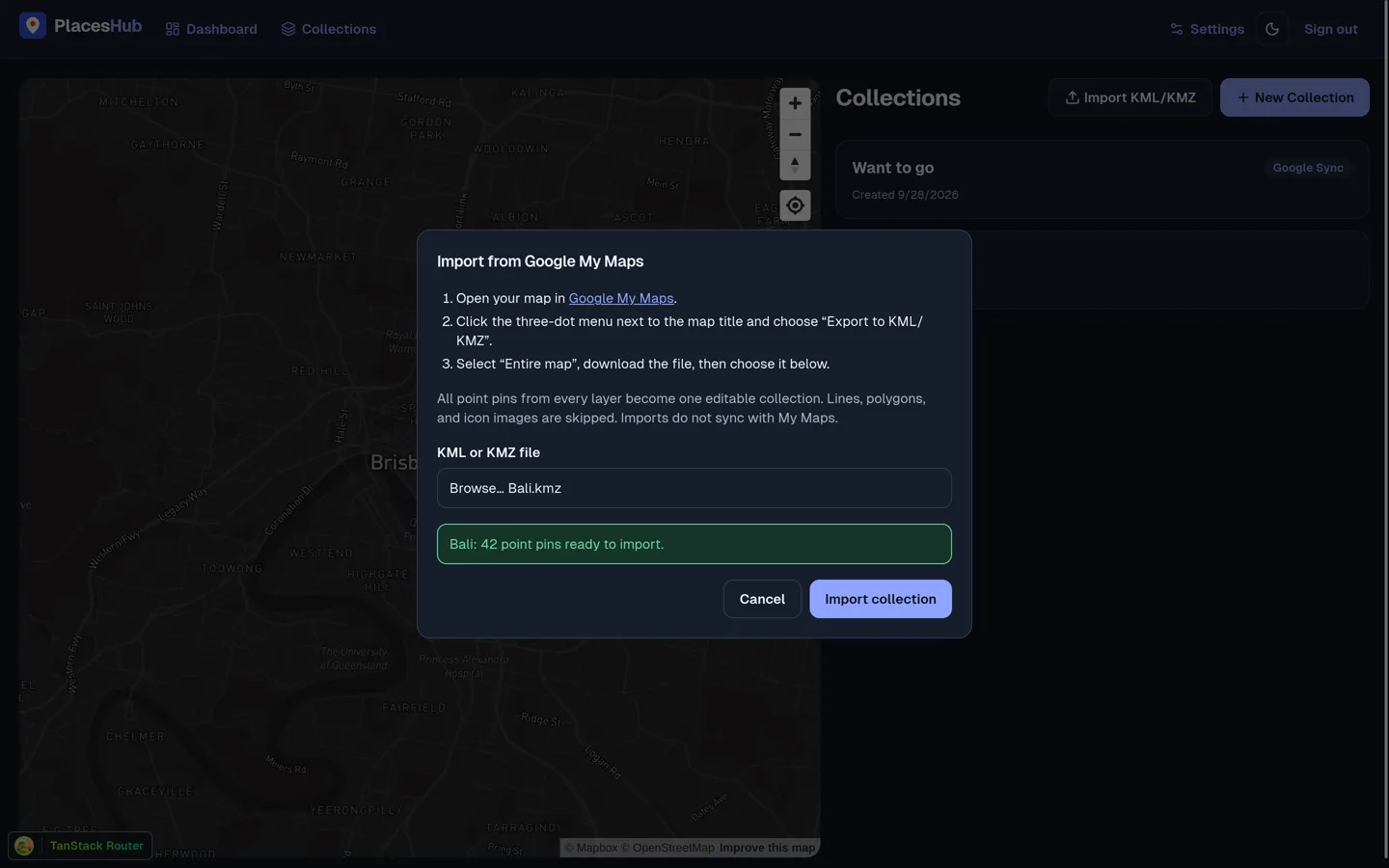
PlacesHub brings saved places into a map with search and filters, personal notes and editable collections. A Chrome and Firefox extension can import selected Google Maps lists from the user’s signed-in browser session. Google My Maps KML or KMZ point pins can also be imported into a manual collection.
Collections can be shared as public map snapshots or exported as KML. Extension keys are revocable, and a separate scoped key gives AI agents access through the MCP API.
TRY IT YOURSELF
The application runs separately. It opens in a new tab.
Open PlacesHub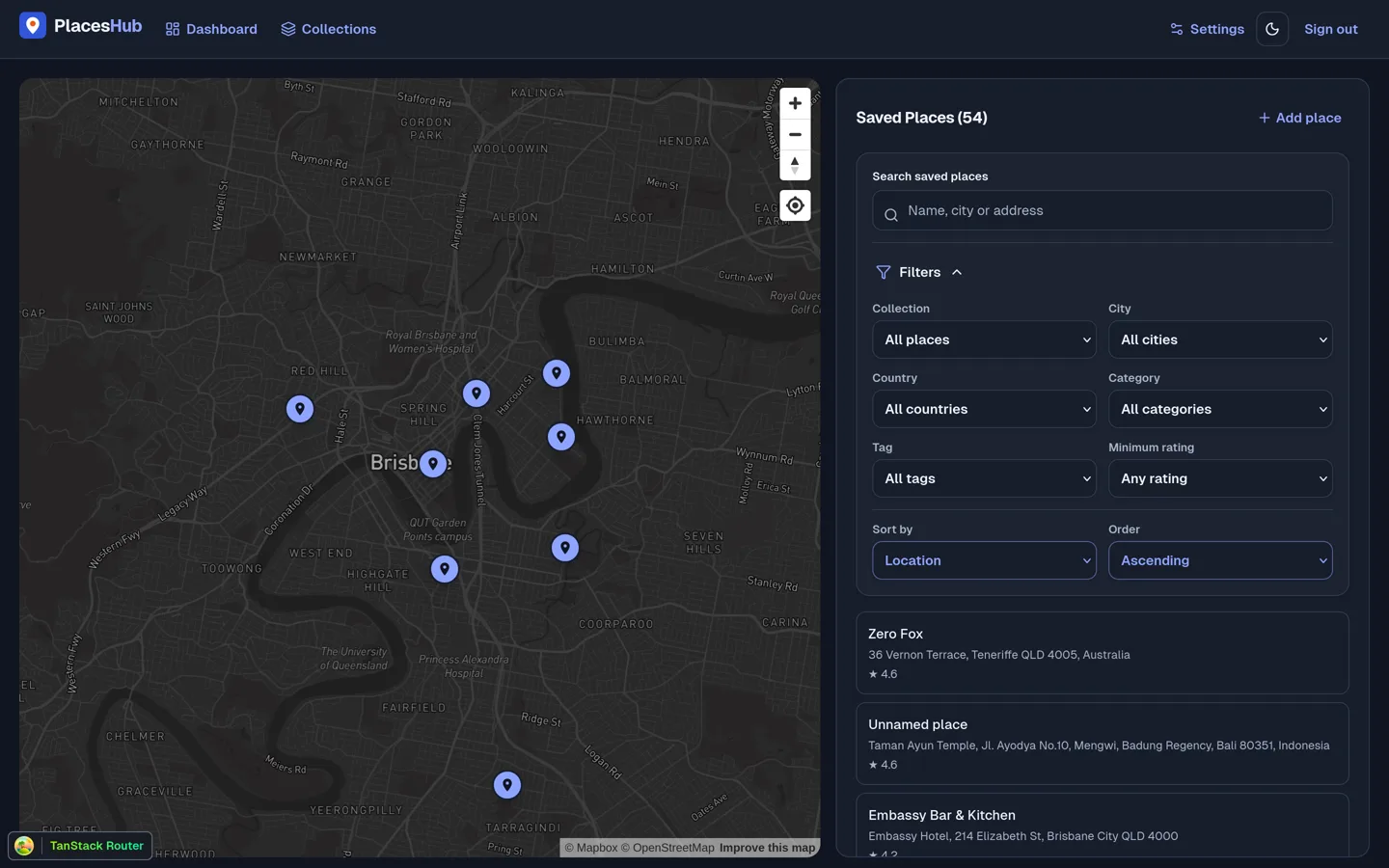
BEFORE AND AFTER
Separate lists and mapsSearch and filters beside one map
Scattered notes and pinsPersonal notes and collections
Rebuild the list for someone elsePublic snapshot or KML export
ARCHITECTURE
PLACE COLLECTION FLOW
INPUT
Saved lists or KML/KMZ.
BOUNDARY
Extension sync or file import.
STORE
Owner checks, places and notes.
OUTPUT
Search, snapshot and KML.
The Google Maps list endpoints are undocumented. Sync rejects incomplete or unverifiable empty responses rather than removing existing memberships on a bad read.
WHAT FAILED
Google’s undocumented list responses can be incomplete or change shape. An empty or partial read could otherwise remove valid collection memberships.
WHAT CHANGED
The extension rejects unverifiable empty or incomplete responses and reports a structural diagnostic instead of applying a destructive sync.
CODE
The web app, API, browser extensions and database schema are available in the public repository.
View the repositorySHARE AND ENJOY
Tell me what's going on. I'll come back within a business day, and if I'm not the right person for it I'll say so.